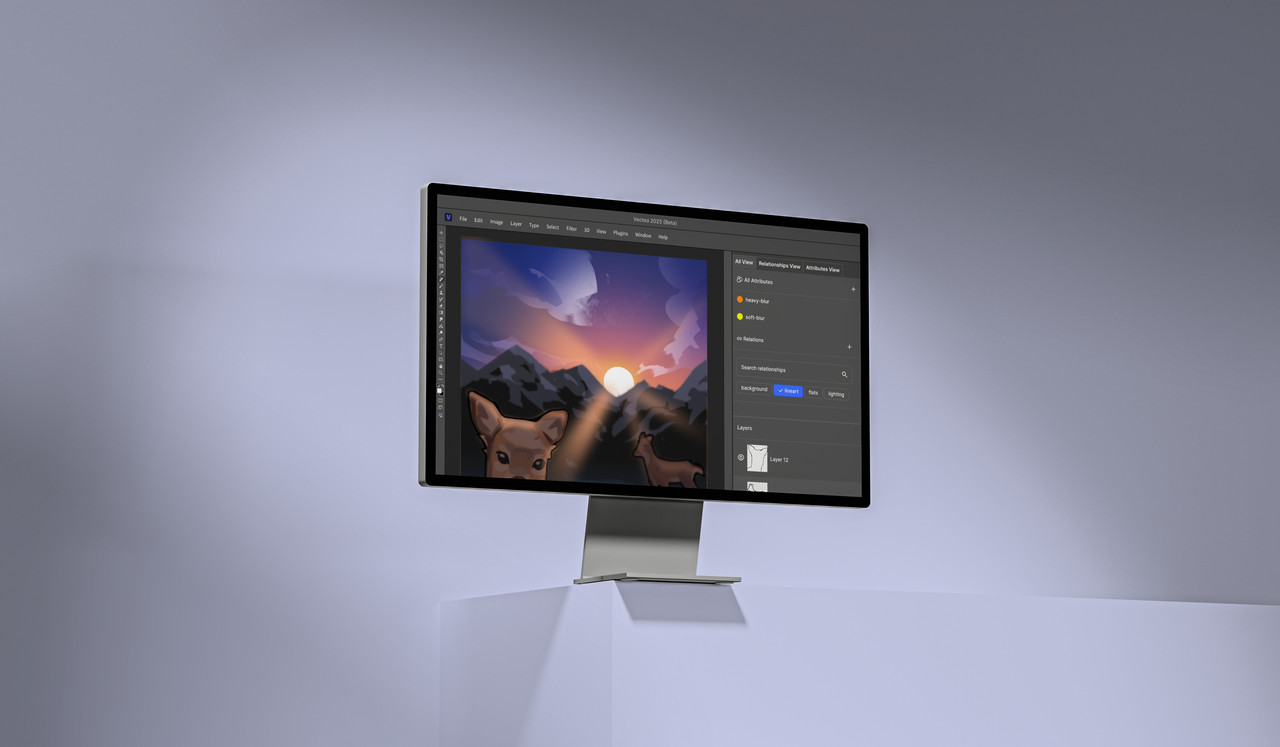
A design tool built around how artists actually think.
Vectea is a conceptual image-editing app that introduces a new layer organization system on top of a traditional Photoshop-like environment, allowing artists to group and manage layers by what they mean rather than where they sit in the stack.
Imagine you're in a library looking for a long book to read on a flight. The books are only categorized by genre: Mystery, Fantasy, Romance, and Sci-fi. As a result, you have to manually check each book to find one long enough for your flight.
This sorting system forces people to tediously check each book when searching for anything other than genre, because the organization ignores other attributes like length and acclaim.
Layers don't know what they mean.
The same applies to layer panels in image and vector editing applications like Photoshop and Illustrator. Everything is strictly organized by its position in the stack, without any reference to meaning. If a series of layers is semantically related (say, parts of a deer, or a set of lighting effects) they can be grouped into a folder, but only if they are next to each other in the stack. It is a rigid system where organization is completely dependent on ordering.
We looked at Figma, Adobe Photoshop, and Blender and found the same core limitation across all three: they organize layers by location, not meaning. Figma's components only relate layers already inside the same group. Photoshop's Smart Objects enforce a single hierarchy. Blender's node system is powerful but far too technical for most 2D illustrators.
Two features. One unified system.
Vectea introduces two features designed to sit alongside the traditional layer stack rather than replace it. Together they close the gap between how a composition is actually built and how an artist thinks about it.
 Relationships
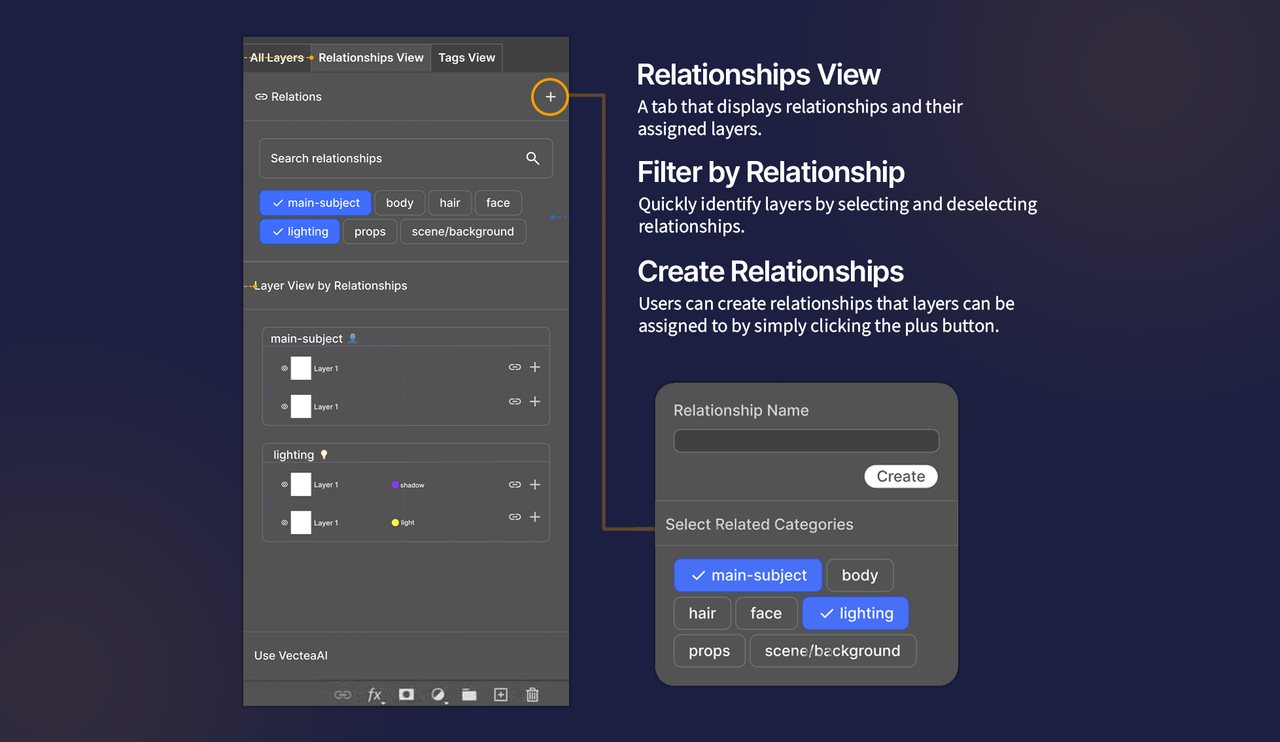
Group layers by what they mean, not where they live. Tag any combination of layers across different folders as belonging to the same subject ("animal," "background," "lighting") and work with them as a single unit. Clicking a relationship chip filters the layer view to show just those layers, ready to edit together.
 Attributes
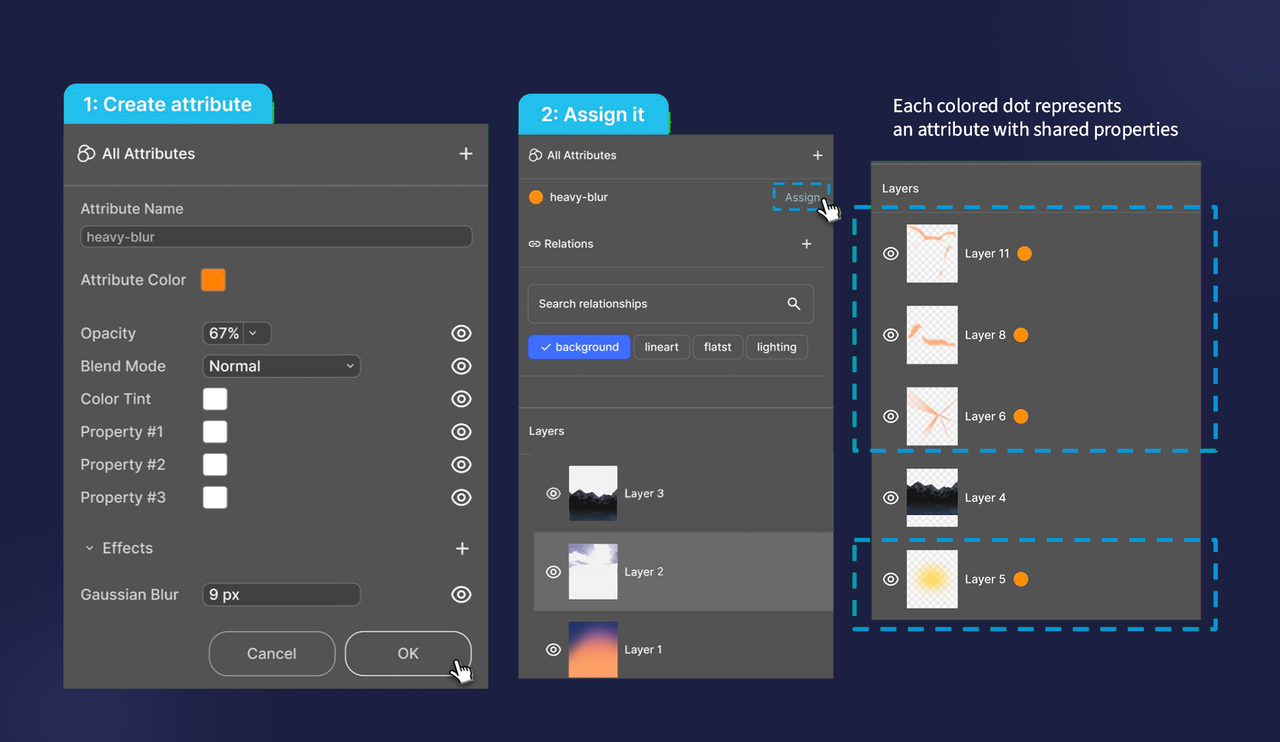
Define a bundle of visual properties (opacity, blend mode, color tint, Gaussian blur) and assign it to any layers regardless of where they are in the hierarchy. Edit the Attribute once and every assigned layer updates. A colored dot on each layer shows what's applied at a glance.

Neither feature requires reorganizing your layer stack. Relationships and Attributes live on top of your existing file structure.
Relationships in action
The Relationships panel is a new tab that sits right alongside "All Layers." Designers create named relationship categories, assign layers to them, and the view reorganizes to show everything grouped by concept rather than stack position.
Attributes in action
An Attribute is a named set of visual properties. Assign it to any layers and they all inherit those settings and stay in sync whenever the Attribute is edited. The orange dot markers make it easy to see exactly which layers are connected.
From sketches to high-fidelity.
Our iteration process moved from rough sketches to full Figma prototypes. Along the way we explored a few different directions: dual-pane views, dropdown filters, component-based linking. The Relationships and Attributes split was what eventually clicked as the most natural way to match how artists actually think.
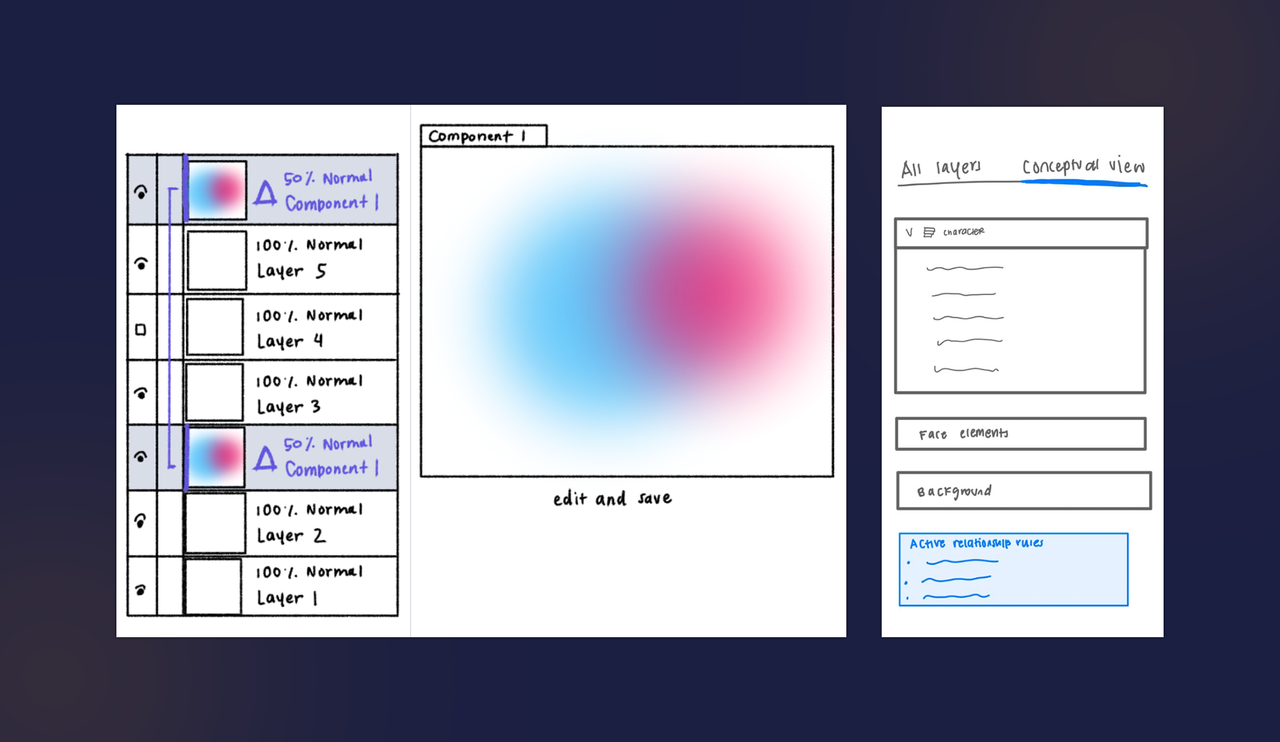
Initial sketches: exploring conceptual view tabs, semantic relationships, and component linking.
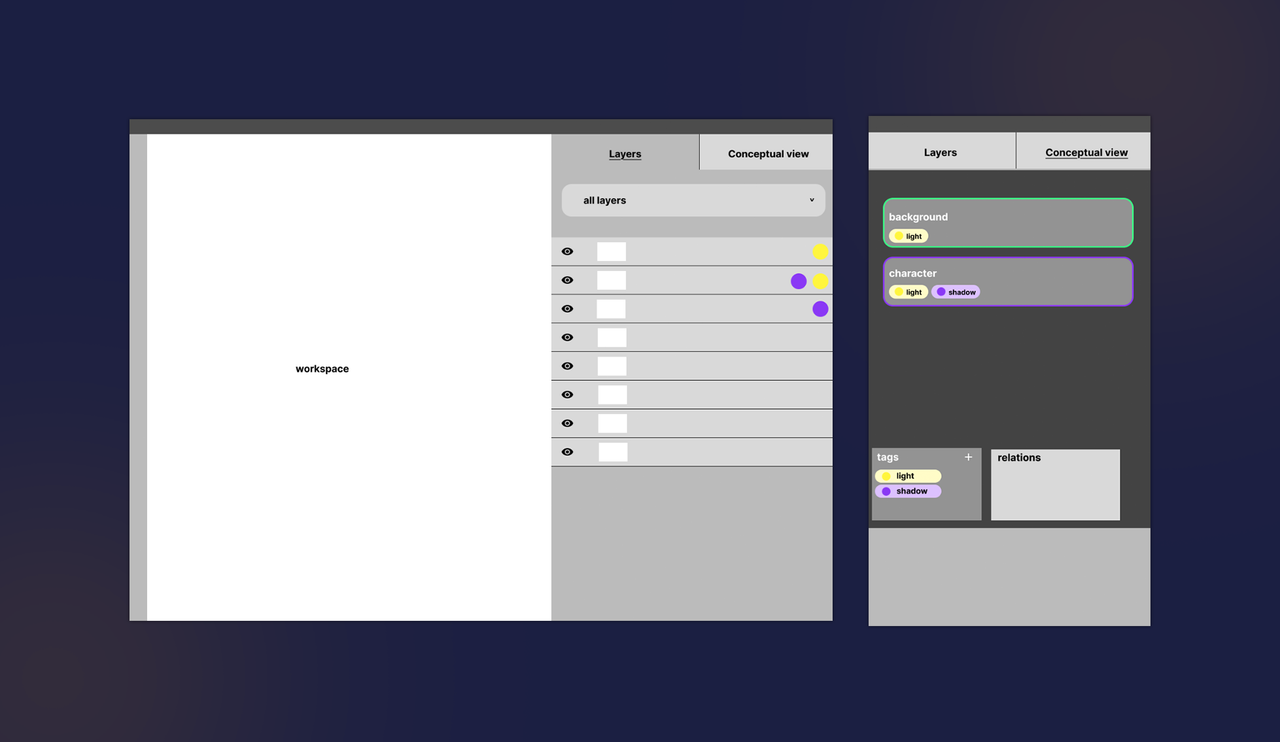
Low fidelity wireframes: panel layouts for All Layers, Relationships View, Tags View, and the layer property sidebar.
Final Prototype
After locking in the core interaction model, we moved into high-fidelity in Figma. The prototype covers the full Relationships and Attributes flow end to end.
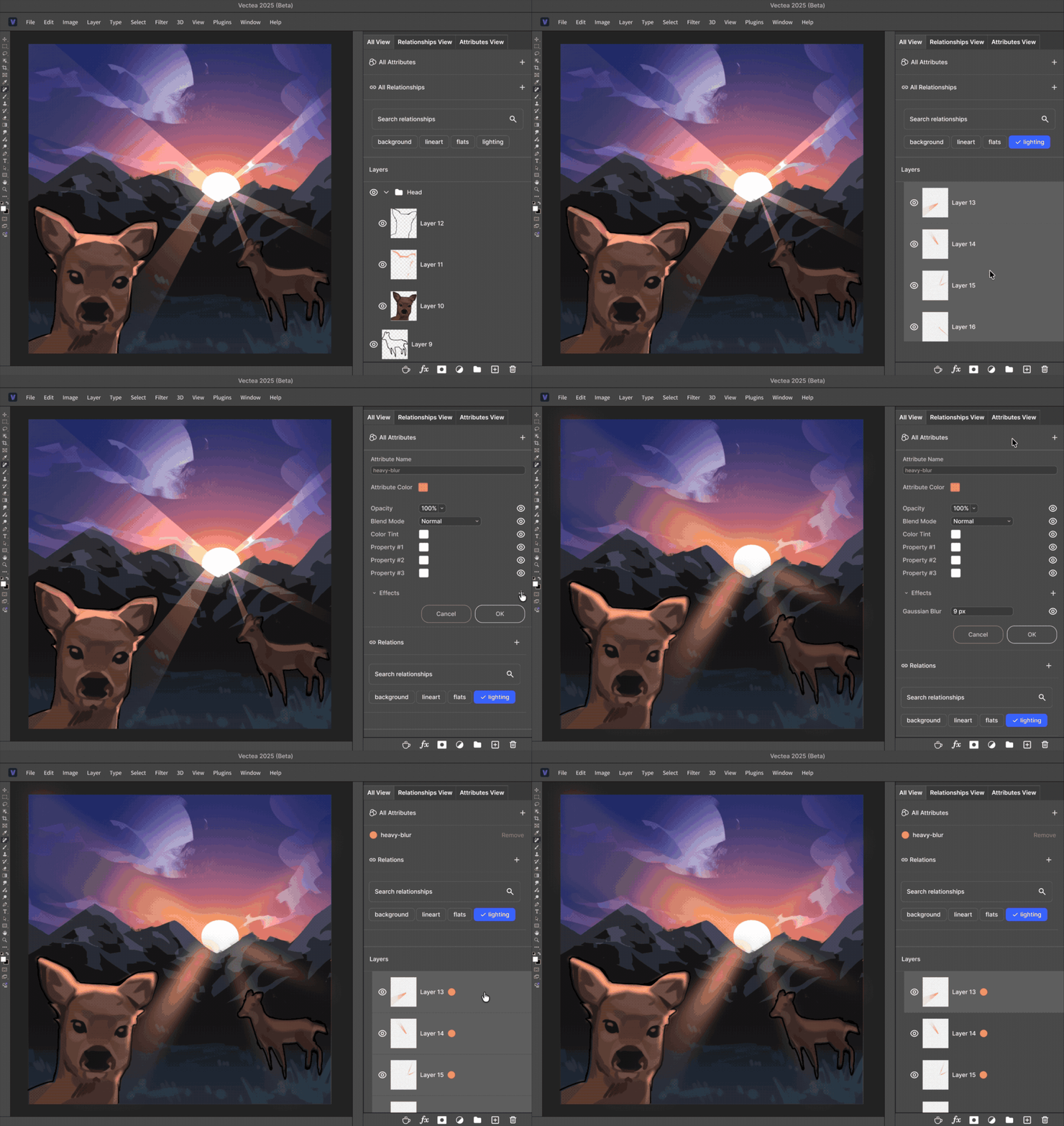
High-fidelity Figma prototype: creating relationships, filtering layers, and assigning attributes.
The final prototype demonstrates how this concept holds up in practice:
- Conceptual layer relationships are stored in the tool through the Relationships panel, rather than existing only in the artist's head.
- Artists can filter and act on groups of layers by meaning rather than position, reducing the mental overhead of tracking what belongs together.
- Relationships and Attributes sit on top of the existing layer stack without replacing it, so adopting them feels natural.
What we'd change, and where this goes.
We're genuinely proud of what Vectea became as a concept. It addresses a real problem in a way that feels intuitive. That said, there are things we'd go back and fix, and a lot more we'd want to build out.
Limitations
- Creating a relationship takes too many steps. It needs to feel more like tagging, not filling out a form.
- Less useful for simpler projects where folders already do the job fine.
- No inline layer viewing means you still have to toggle between views, which is a version of the same problem we set out to solve.
Next Steps
Design tools should organize by meaning, not just position. Vectea is a small step toward that.
